
You can set up voice control for all your outdoor lights in five steps. First, add each fixture in the manufacturer app. Next, link that account to your assistant, Alexa, Google, or Siri. Then run the discovery flow to detect every light, keeping fixtures and assistant on the same Wi-Fi. Finally, name each zone and test it before automating. Get these steps right and you’ll access routines, troubleshooting fixes, and compatibility details below.
Key Takeaways
- Connect your hub, transformer, or smart plug to power and Wi‑Fi, then add your outdoor lights in the manufacturer app.
- Link your lighting account to a compatible assistant: enable the Alexa skill, use Works with Google, or verify HomeKit for Siri.
- Keep your lights and voice assistant on the same Wi‑Fi network, then run discovery to detect each fixture.
- Name and test each outdoor zone descriptively before finalizing automation for reliable voice commands.
- Create sunset and sunrise routines to automate lights, adding brightness or color presets as needed.
How do you set up voice control for outdoor lights
To set up voice control for outdoor lights, add the lights in the manufacturer app, link that account to your voice assistant, then name and test each zone. Start your smart lighting setup by connecting the hub, transformer, or smart plug to power and Wi‑Fi, then run the app’s discovery flow to detect each fixture. Keep the lights and assistant on the same network for reliable pairing. Next, enable the brand skill in Alexa’s Skills & Games, or use Works with Google, and authorize the same account. After linking, import or select your discovered voice-controlled lights, then assign clear zone names like Front Lights or Backyard. Test outdoor light automation by issuing a command, confirming each zone responds before finalizing.
What do you need for voice-controlled outdoor lights
For voice-controlled outdoor lights, you’ll need a few core components in place. Start with your smart outdoor lighting hardware: smart lights, a lighting hub, transformer, or smart plug connected to power. Next, provide a stable Wi‑Fi network, and confirm your lights and voice assistant share the same network for reliable discovery.
You’ll also need the manufacturer app installed, plus a registered account to add and pair each fixture or zone. For voice control outdoor lights, choose a compatible assistant, Alexa, Google Assistant, or Siri, and verify your lighting brand supports it.
Finally, confirm you have the required brand skill or integration available for linking. With hardware powered, Wi‑Fi active, the app configured, and a supported assistant ready, you’re set to proceed.
Which voice assistants work with outdoor lighting
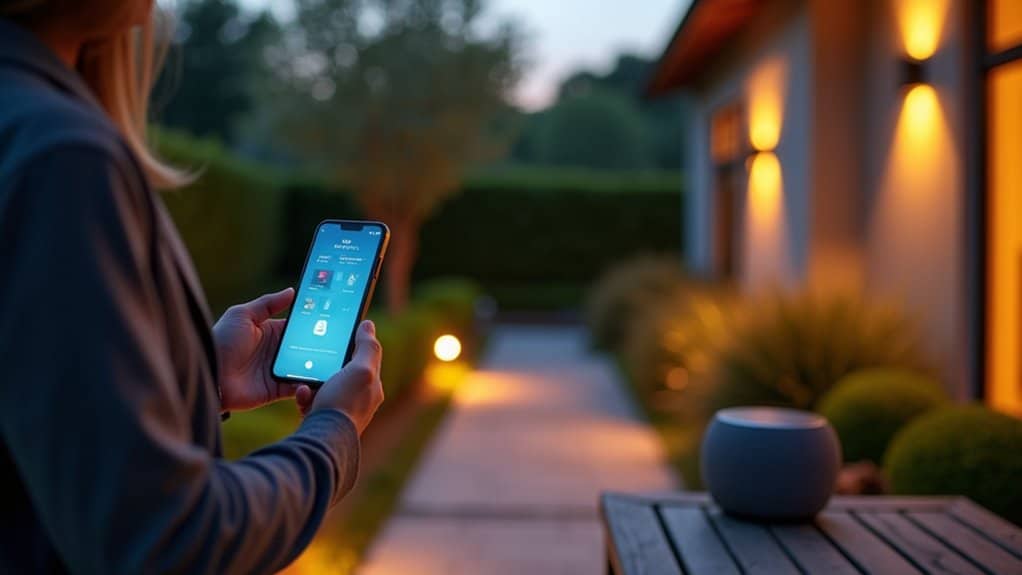
Three ecosystems typically control outdoor lighting: Alexa, Google Assistant, and Siri. Each requires a separate linking process, so confirm your lighting brand supports the assistant you plan to use.
For Alexa, you’ll enable the brand skill under Skills & Games and link it to your lighting account. For Google Assistant, you’ll use Works with Google or the brand-specific connect flow inside the Google Home app. Siri support depends on your system’s HomeKit compatibility.
Compatibility varies by hub, transformer, or smart plug. If you want multiple assistants controlling the same lights, link each one individually, using the same account credentials from your lighting app.
How do you install and connect the lights
Connect your lighting hub, transformer, or smart plug to power and Wi‑Fi first, then add your outdoor lights in the manufacturer app, because voice control won’t work until this step is finished. Sign in to the app, then run the discovery or pairing flow to locate your connected lights automatically.
Keep your lights and voice assistant on the same Wi‑Fi network for dependable discovery and control. If your system supports multiple devices or zones, select each outdoor lighting area during setup so every fixture registers correctly.
Confirm each light appears in the app before moving on. If discovery does not succeed, verify your Wi‑Fi connection and account details, then retry the pairing flow. Completing this setup completely ensures the assistant can link and control your lights.
How do you set up voice commands and routines
Set up routines by creating a sunset starter that turns lights on and a sunrise trigger that turns them off, adding brightness or color presets as needed.
How do you troubleshoot voice control problems
Troubleshoot voice control problems by checking three things in order: account linking, Wi‑Fi connection, and device naming. Confirm you’ve linked the brand skill or integration to the same account used in the lighting app. Verify the lights and assistant share one Wi‑Fi network. Simplify names so voice recognition maps commands correctly.
| Problem | Fix |
|---|---|
| Discovery fails | Re-link account, enable brand skill |
| Lights unreachable | Confirm same Wi‑Fi network |
| Wrong light responds | Rename zones descriptively |
| No assistant support | Add required brand integration |
| Second assistant fails | Complete separate linking steps |
Test each fix with a command.
How do you choose voice-controlled outdoor lights
Choose voice-controlled outdoor lights by verifying compatibility first: confirm the lighting brand, hub, or transformer supports your assistant, Alexa, Google Assistant, or Siri. Check whether the system requires a brand-specific skill or integration before assistant control becomes available, since some ecosystems won’t function without it.
Next, evaluate the setup architecture. Determine if the system uses a hub, transformer, or smart plug, and confirm it connects to your Wi‑Fi network. Select lights that support multiple devices or zones if you’re controlling separate outdoor areas.
Confirm the system supports each assistant you plan to use, since every assistant requires separate linking. Finally, prioritize systems offering clear naming, zone assignment, and grouping, plus automation features like sunset and sunrise routines for reliable, scalable voice control.
Conclusion
Voice control turns outdoor lighting from a switch on the wall into a simple spoken command, and the setup is largely a matter of pairing weather-rated fixtures, a hub or smart transformer, and a voice assistant on the same network. Clear zone names and a few automations make it genuinely effortless. Innovative Outdoor Living installs smart, voice-ready lighting systems and sets up the zones and automations, so a whole yard responds the moment it is asked.
Add Voice Control to Your Outdoor Living
Voice-controlled outdoor lighting brings modern convenience and impressive style to every evening in your backyard. At Innovative Outdoor Living in Palm Beach Gardens, FL, our experienced team provides trusted Smart Backyard Pool Control Systems with expert setup and premium technology. Call +1 (561) 594-1495 today and upgrade your outdoor living.
Frequently Asked Questions
Can Voice Control Still Work if the Wi-Fi Goes Down?
No, voice control does not work reliably when the Wi-Fi goes down. The lights and the voice assistant rely on the same network for discovery and control, so a dropped connection breaks that path. Commands like turn on or set brightness will not go through until the connection returns. Restoring it usually means confirming the network is back online, checking the hub or transformer has reconnected, then re-testing with a single command.
Are Outdoor Smart Lights Safe to Use in Rain or Snow?
Yes, when they are rated for outdoor use. Checking each fixture’s IP or weather rating before installation matters, since outdoor-rated hardware resists moisture, dust, and temperature swings. The transformer, hub, or smart plug should also be weather-sealed or housed in a protected enclosure, and indoor-rated components kept out of the elements. Matching every device to its environment is what keeps the system safe outdoors.
How Much Do Voice-Controlled Outdoor Lighting Systems Typically Cost?
Cost depends mainly on the lighting brand, the hub or transformer, and how many zones are being controlled. A basic setup adding voice control to existing smart bulbs or plugs can be modest, while a full outdoor system with multiple zones, a controller, and quality fixtures costs more. The voice assistant itself, whether Alexa, Google, or Siri, adds little beyond the speaker. Confirming compatibility first, then comparing configurations, gives the most accurate budget.
Can Multiple People in One Household Control the Lights by Voice?
Yes. With voice control set up on each smart speaker linked to the assistant account, anyone speaking the wake word, Alexa, Hey Google, or Siri, can issue commands. Keeping every device on the same Wi-Fi network and confirming the brand skill or integration stays linked keeps it working for everyone. Clear zone names help, so each person can control the right lights without confusion.
Do Voice-Controlled Outdoor Lights Increase Electricity Bills Significantly?
No, not notably. The voice-control layer, the hub, transformer, or smart plug, draws minimal standby power, and linking to Alexa, Google Assistant, or Siri adds no meaningful load. Actual consumption depends on the fixtures and runtime, not the voice control itself. Sunset and sunrise routines, brightness presets, and grouped zones actually help lower the bill by running only the lights that are needed.